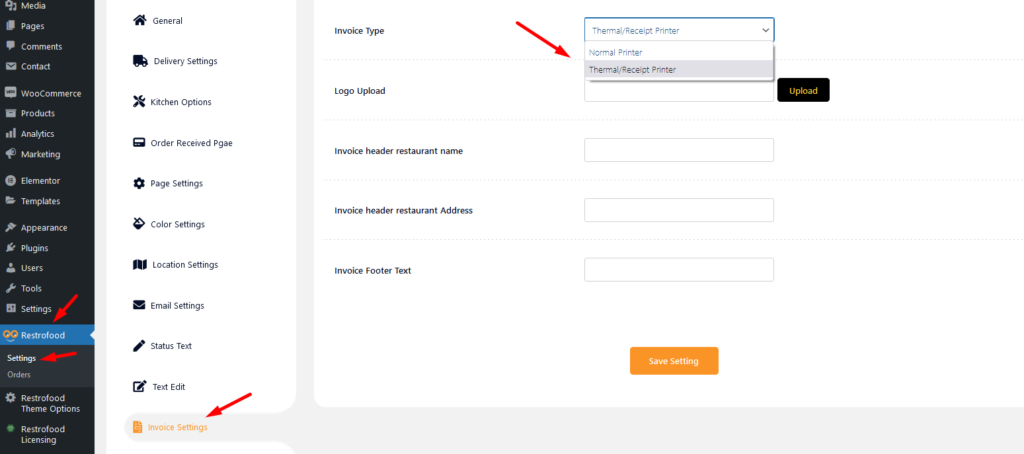
Invoice type settings option:
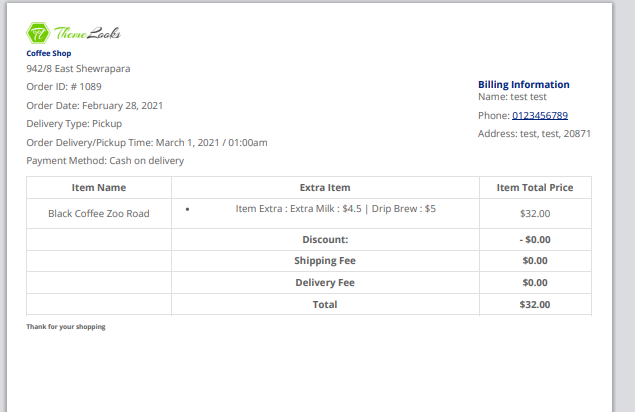
Normal Printer layout:
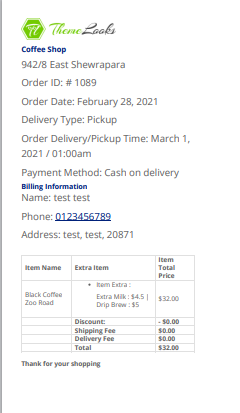
Thermal/Receipt Printer layout:
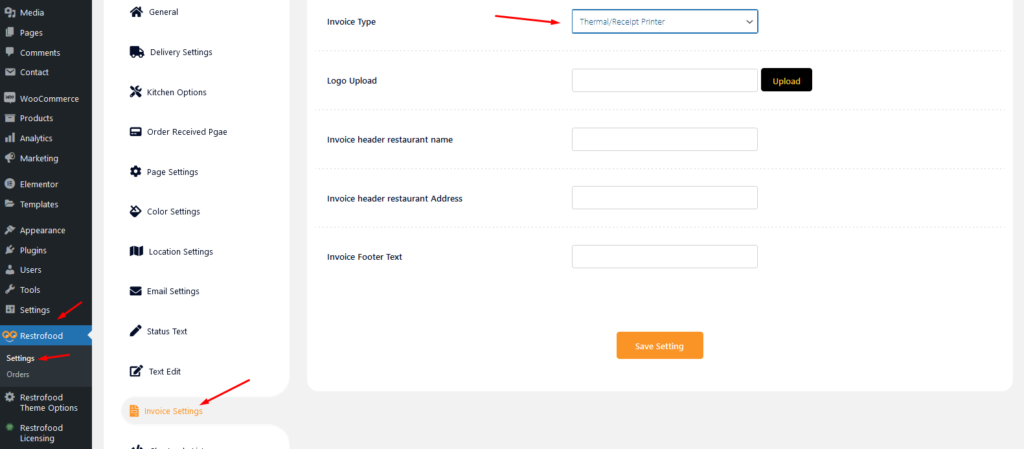
Invoice type settings option:
Normal Printer layout:
Thermal/Receipt Printer layout:
Follow the screenshot to get invoice settings options.
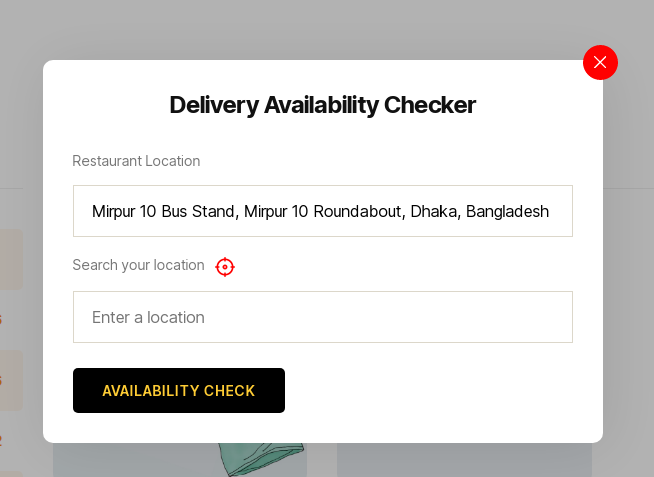
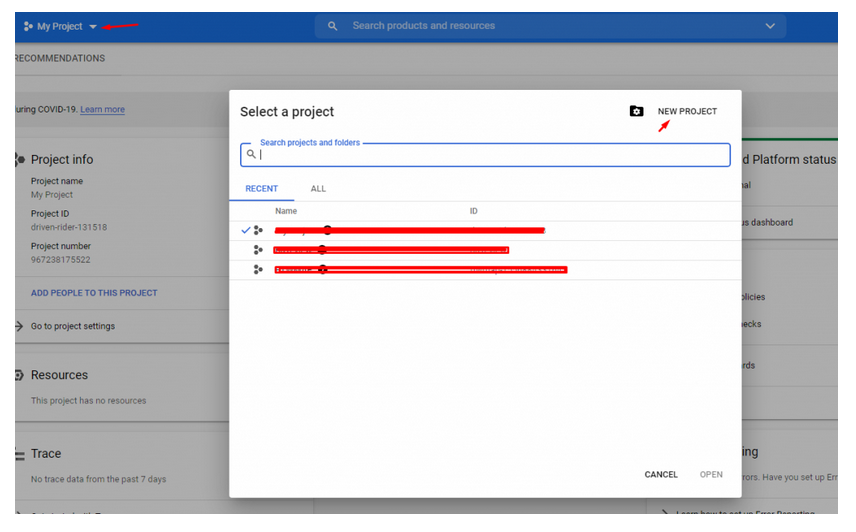
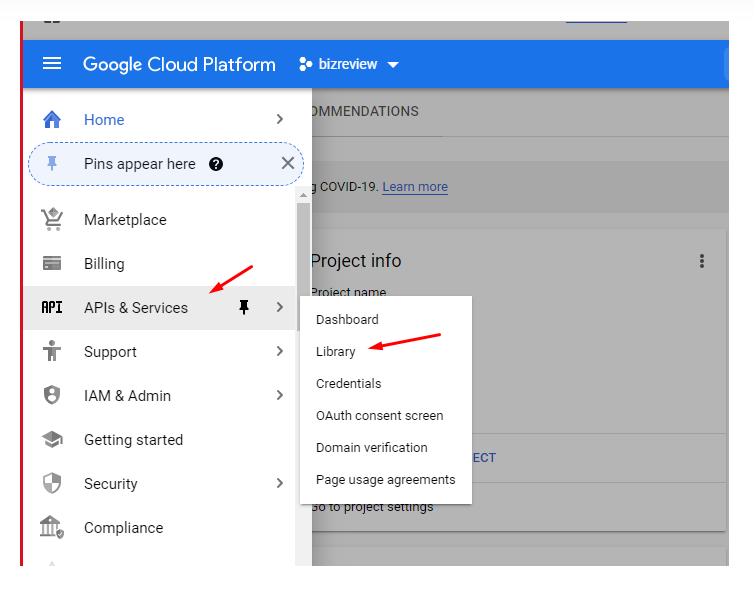
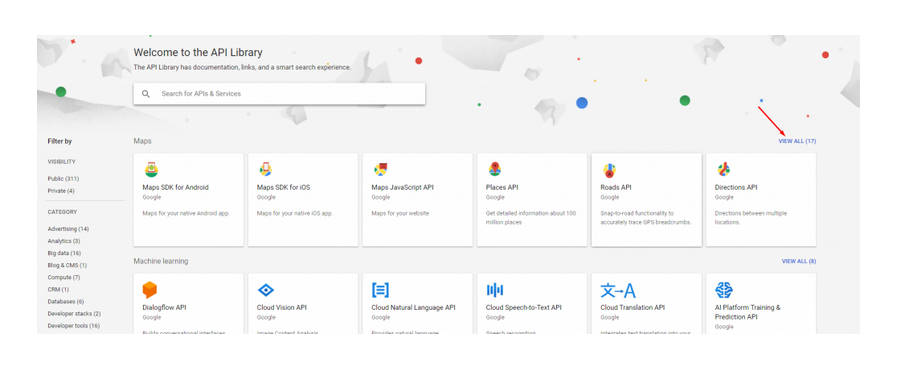
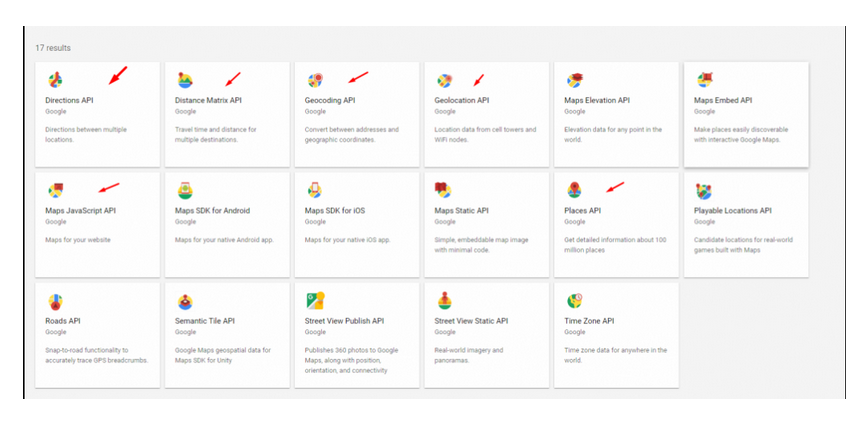
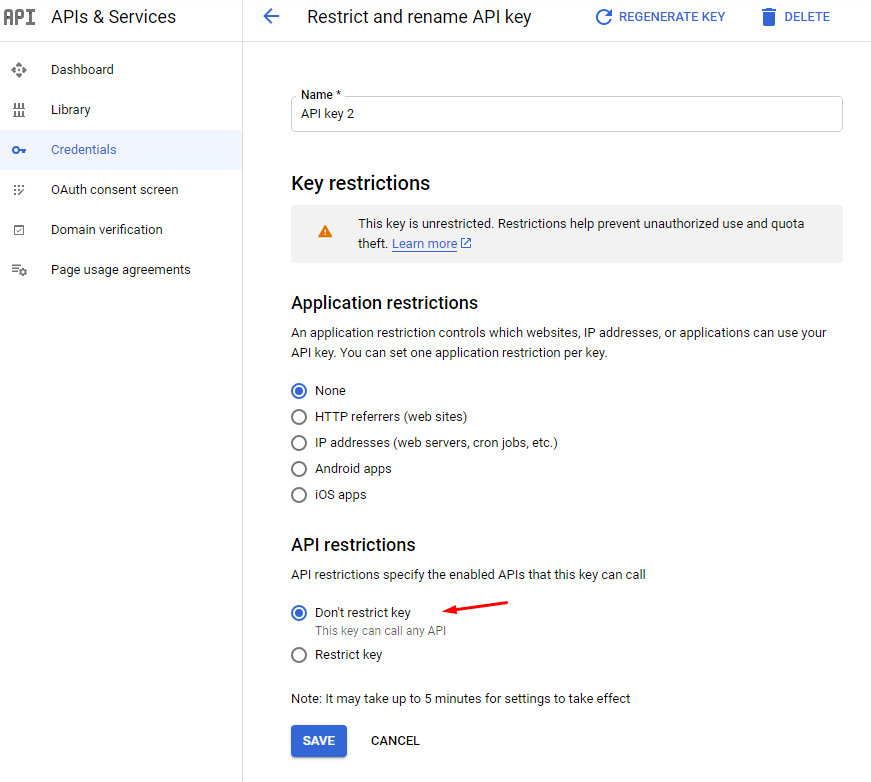
To create google API key visit the link https://console.cloud.google.com/ and login with your google access. After that, you need to create a project for API credentials with some Library permission. Follow the screenshot below:
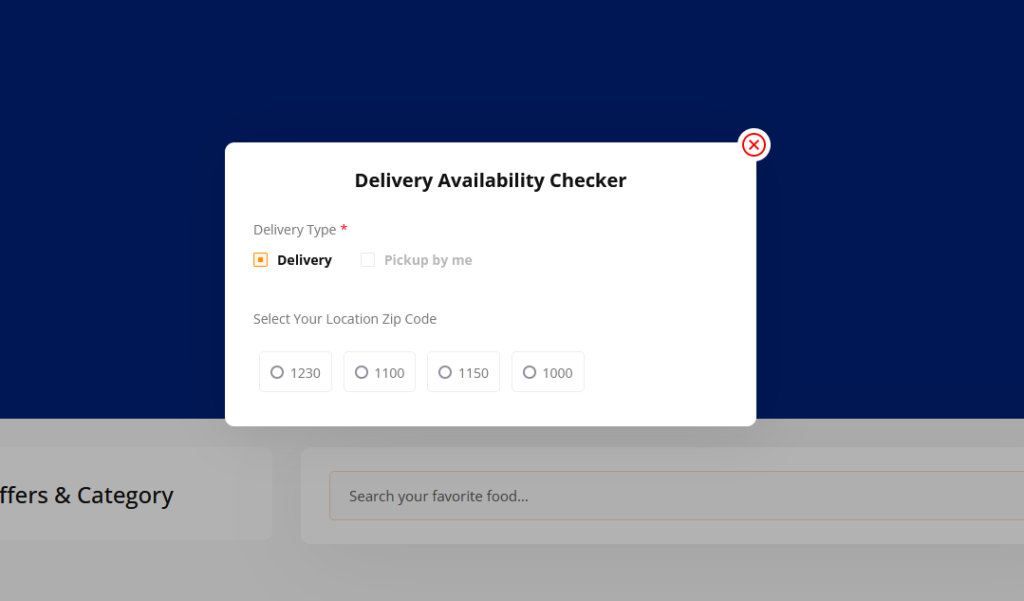
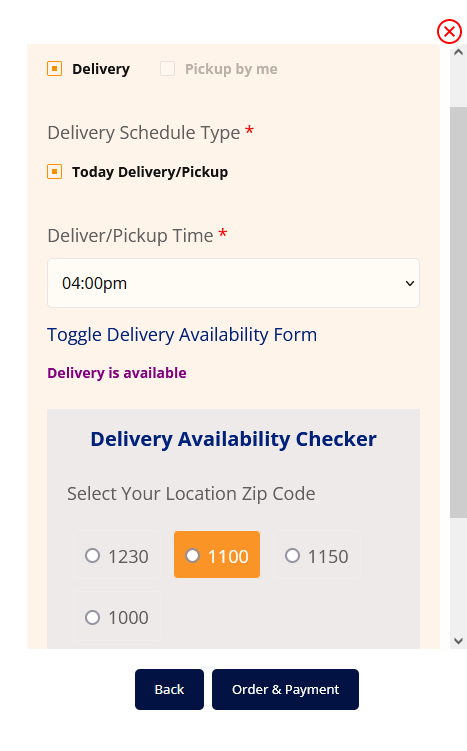
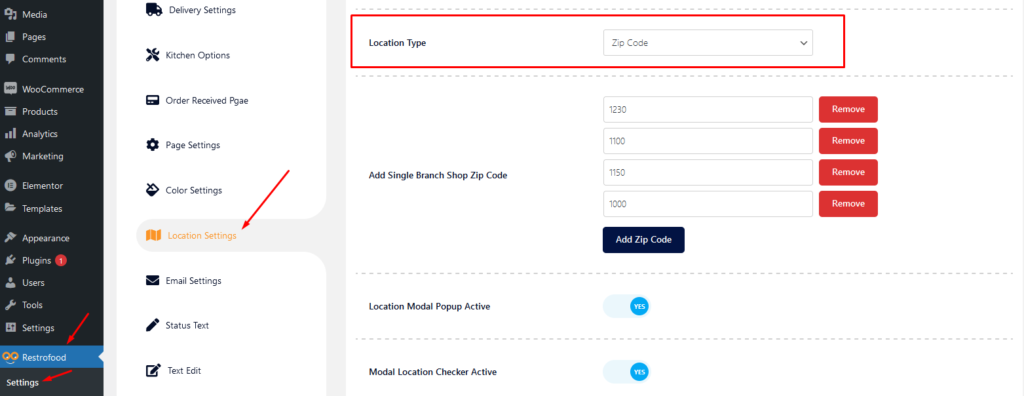
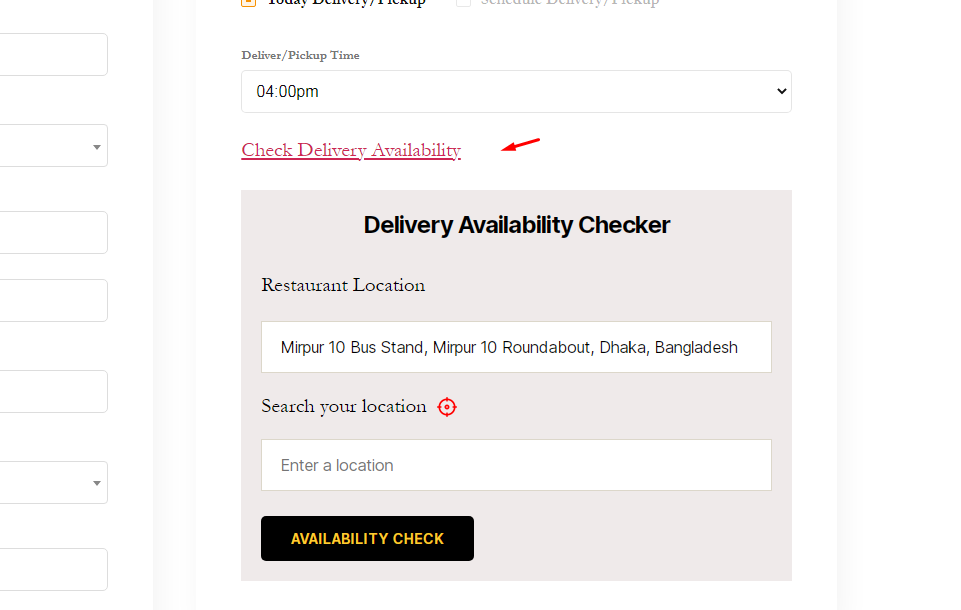
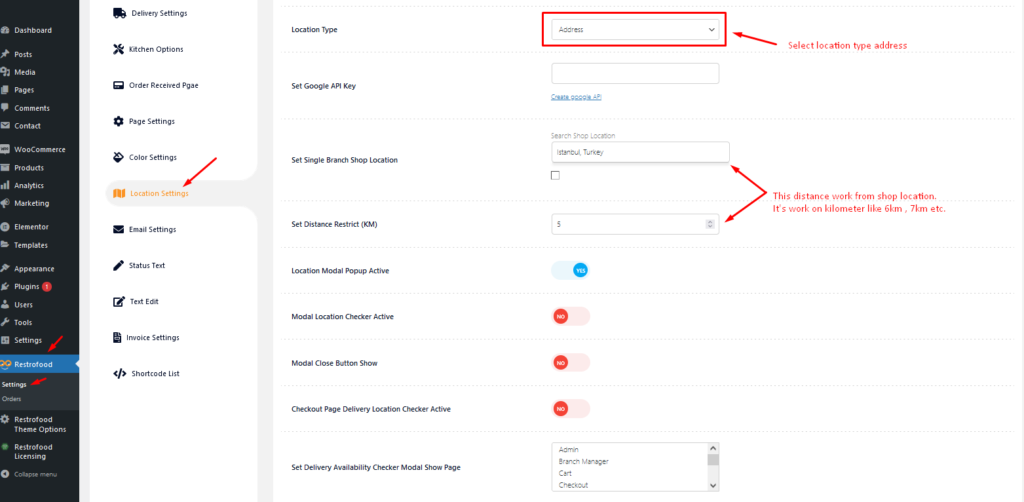
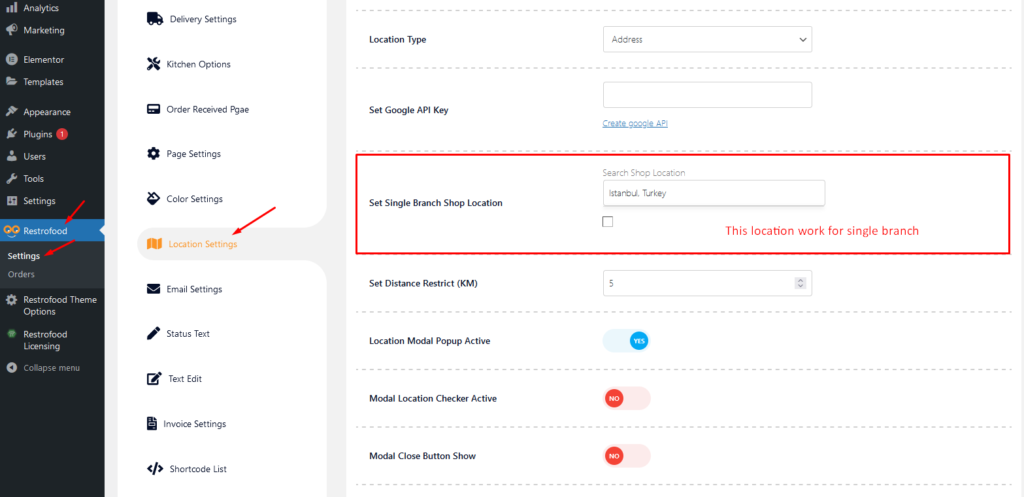
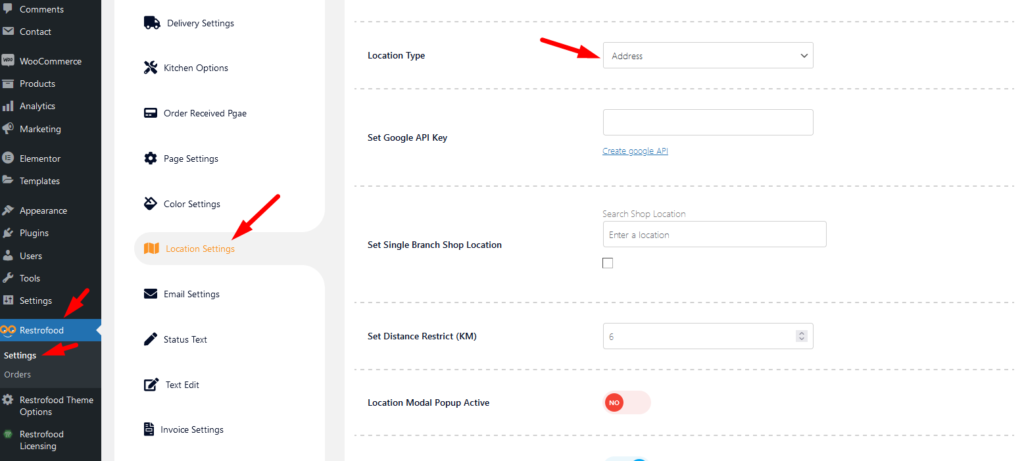
Restrofood provides a nice option to check delivery location availability. There has 2 types of options to check delivery location availability by address and zip code. Customers can check delivery availability in their area before ordering.
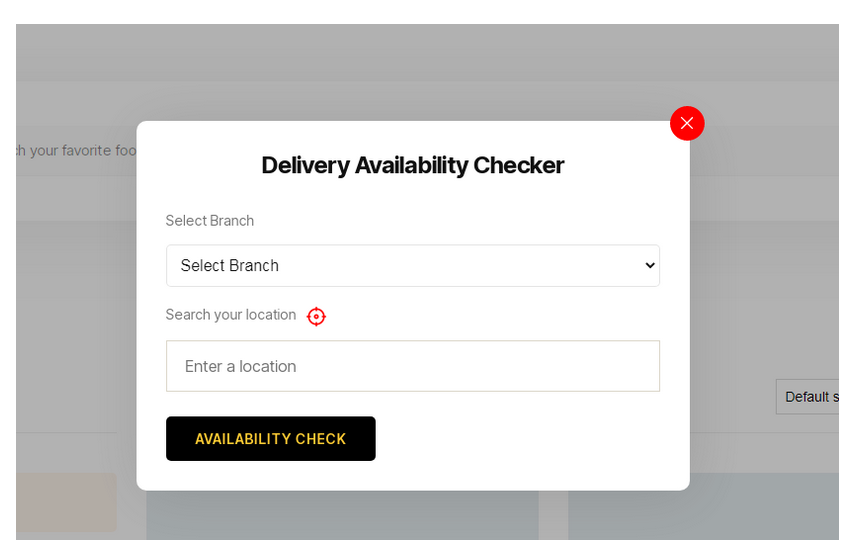
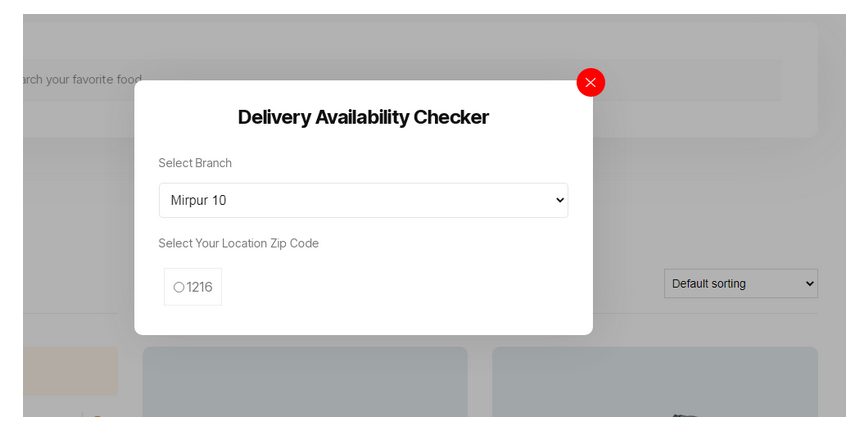
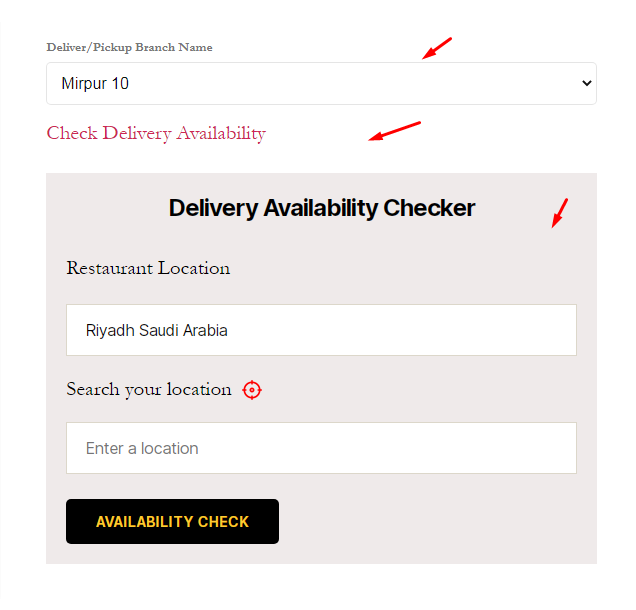
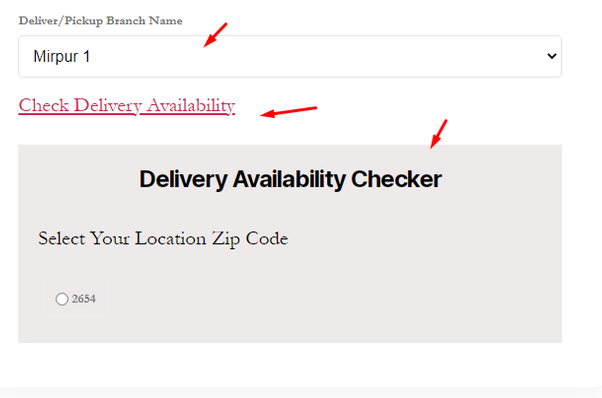
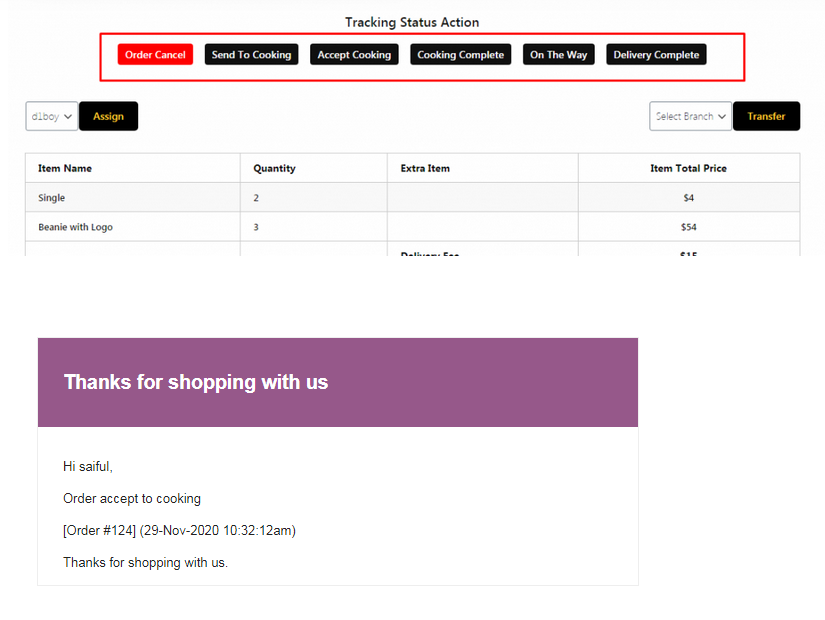
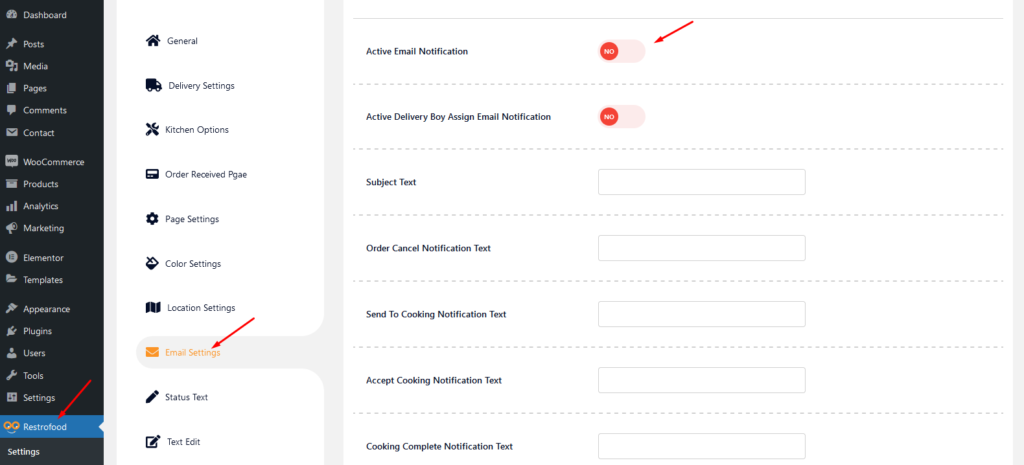
Email notification work on order status. When admin change order status mail automatic send to customer to inform their order current status. Admin ON | OFF the mail notification option from the settings page. Also, the admin can change notification text based on status, Subject text, and mail template header, footer text, and header background color.
Email Settings options:
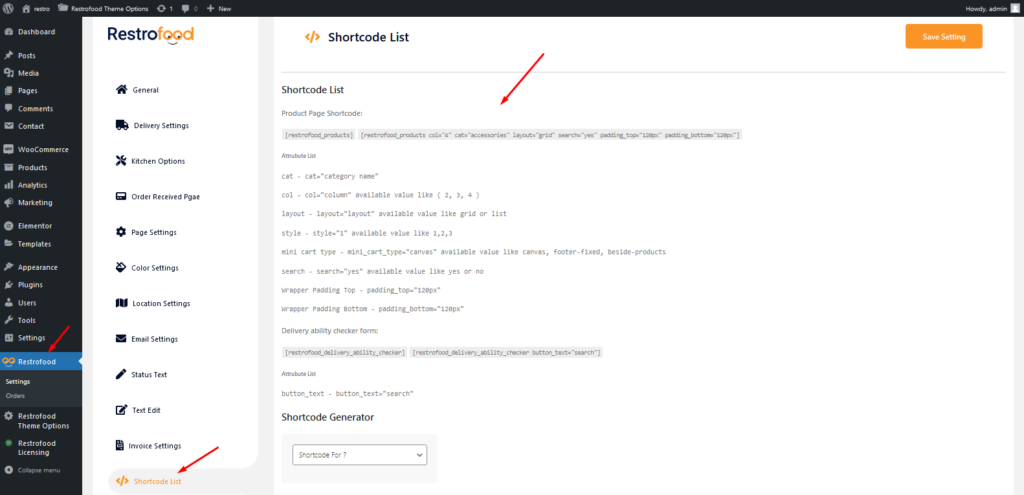
Restrofood provides an awesome and flexible shortcode to increase user experience and flexibility.
[restrofood_products]Use this shortcode to show products with all default settings
[restrofood_products col="4" cat="accessories" layout="grid" sidebar="yes" search="yes"]
Use this shortcode with attributes to change settings like yours.
[restrofood_delivery_ability_checker]Use this shortcode to show products with all default settings
[restrofood_delivery_ability_checker button_text="search"]Use this shortcode with an attribute to change settings like yours.
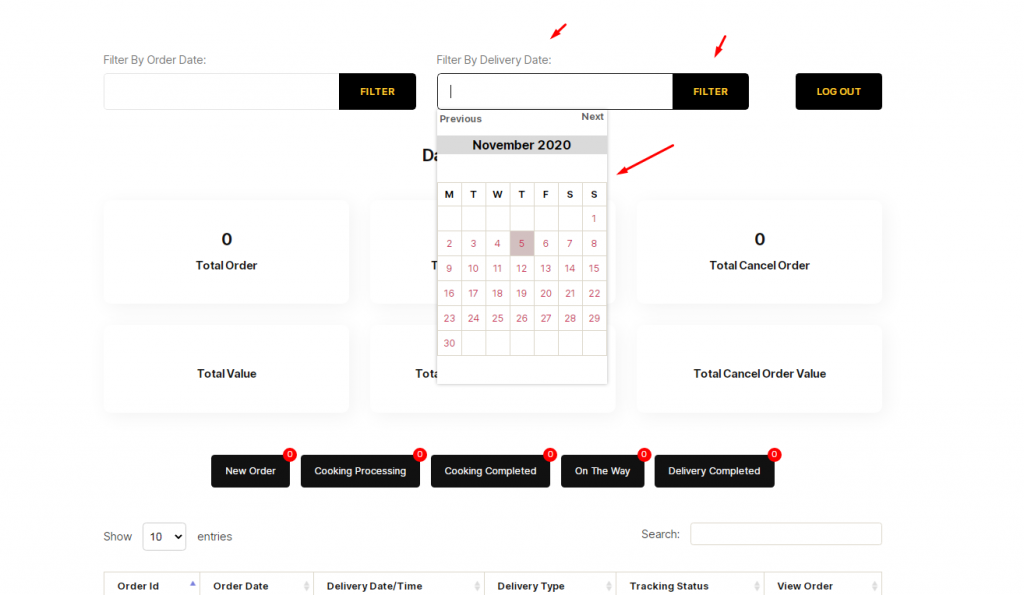
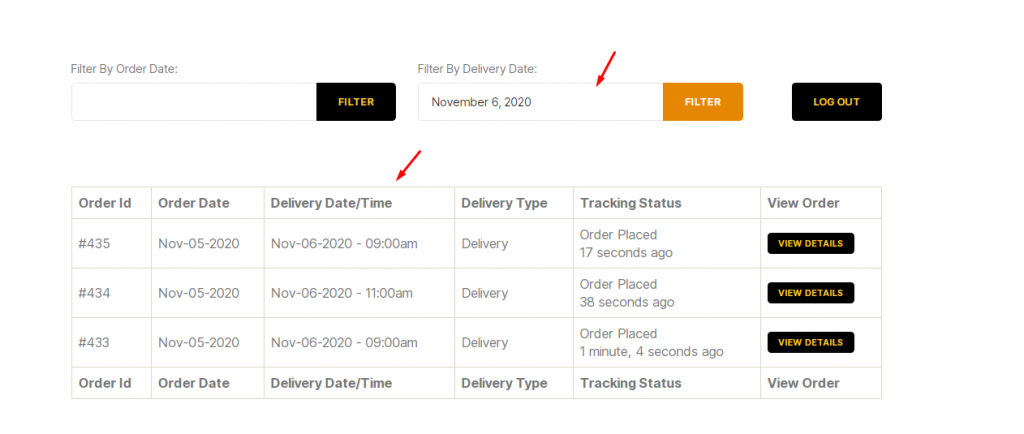
There has nice ajax filter option ( Filter by delivery date ) to find pre order list in manager page. Please follow the screenshot:
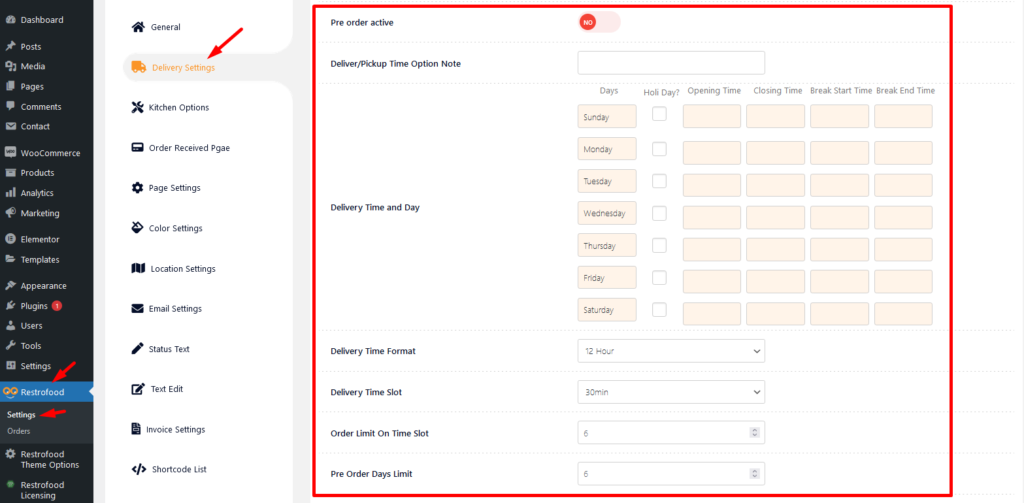
To use pre order system you need to set some settings from restrofood delivery settings. Please follow the screenshot.
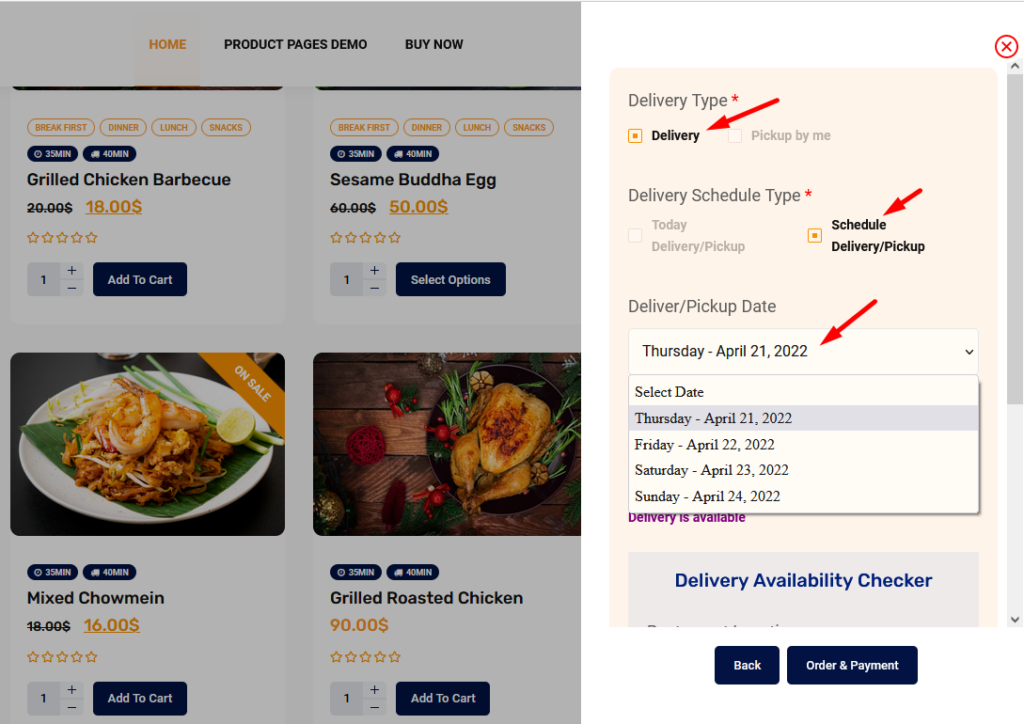
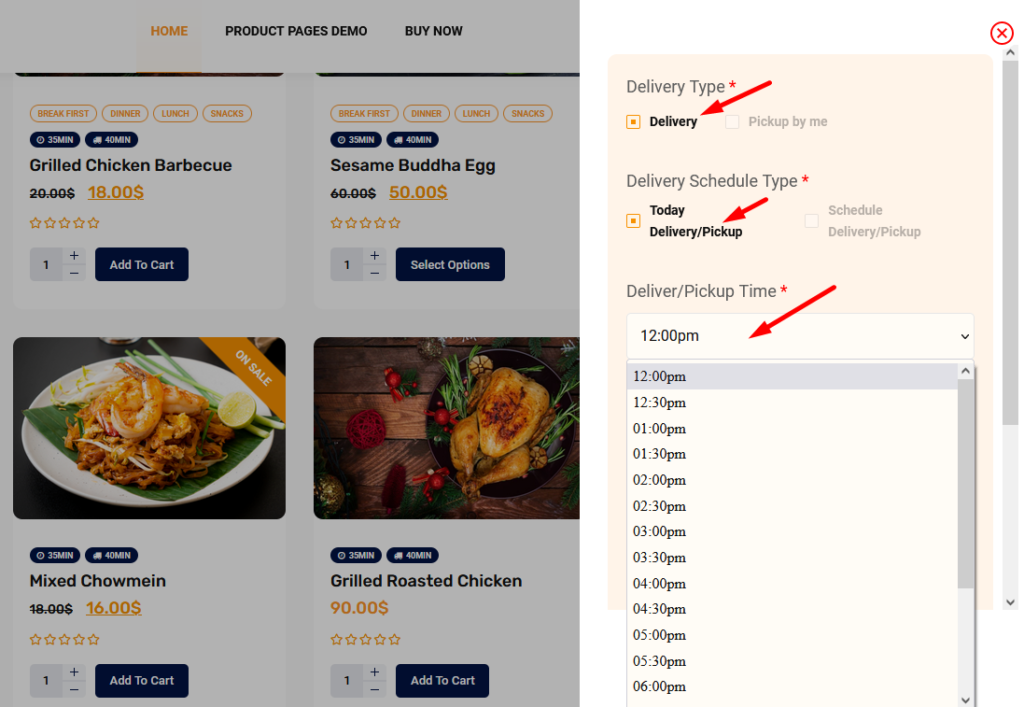
After set all settings you will find the date and time select option in checkout page
How to hide delivery date and time from checkout page?


